piece 3069pb1459 is supposed to be titled "Tile 1 x 2 with 'RC 60389'
Pattern (Sticker) - Set 60389" instead of "Tile 1 x 2 with License Plate
Dark Turquoise and Blue '94.5 FM' Pattern (Sticker) - Set 11370"
piece 3069pb1459 is supposed to be titled "Tile 1 x 2 with 'RC 60389'
Pattern (Sticker) - Set 60389" instead of "Tile 1 x 2 with License Plate
Dark Turquoise and Blue '94.5 FM' Pattern (Sticker) - Set 11370"
piece 3069pb1459 is supposed to be titled "Tile 1 x 2 with 'RC 60389'
Pattern (Sticker) - Set 60389" instead of "Tile 1 x 2 with License Plate
Dark Turquoise and Blue '94.5 FM' Pattern (Sticker) - Set 11370"
piece 3069pb1459 is supposed to be titled "Tile 1 x 2 with 'RC 60389'
Pattern (Sticker) - Set 60389" instead of "Tile 1 x 2 with License Plate
Dark Turquoise and Blue '94.5 FM' Pattern (Sticker) - Set 11370"
I would very much like to know how this submitter was able to overwrite my pending
submission for set 11370?
~Jen
They didn't.
I went to their pending image and edited the title - from there I don't automatically
see it was your submission so didn't realise they added their image to your
entry.
piece 3069pb1459 is supposed to be titled "Tile 1 x 2 with 'RC 60389'
Pattern (Sticker) - Set 60389" instead of "Tile 1 x 2 with License Plate
Dark Turquoise and Blue '94.5 FM' Pattern (Sticker) - Set 11370"
I would very much like to know how this submitter was able to overwrite my pending
submission for set 11370?
~Jen
They didn't.
I went to their pending image and edited the title - from there I don't automatically
see it was your submission so didn't realise they added their image to your
entry.
I changed it back.
Oh, thank you, that's a relief! I thought there was some crazy bug in the
system.
piece 3069pb1459 is supposed to be titled "Tile 1 x 2 with 'RC 60389'
Pattern (Sticker) - Set 60389" instead of "Tile 1 x 2 with License Plate
Dark Turquoise and Blue '94.5 FM' Pattern (Sticker) - Set 11370"
The proper procedure to add stickered parts to BrickLink and set inventories
is as follows:
(1) Add the stickered parts to the BrickLink catalog:
(3) Fill out an Inventory Change Request to add the stickered parts to the set
inventories after they are approved by a Catalog Associate or Catalog Administrator:


 USA, California


 Canada, Ontario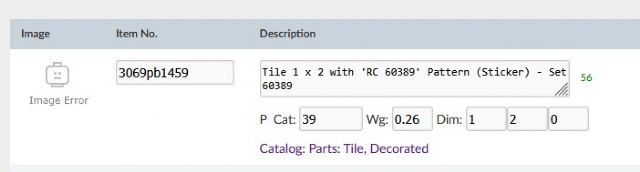


 United Kingdom, England