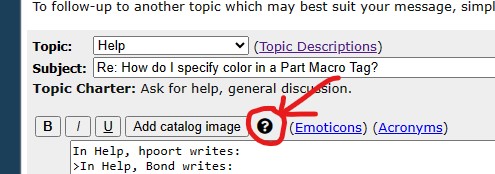
I've been searching everywhere for the answer to this. As is getting more
and more usual, nothing.
When one posts a Forum message that includes a Part Macro tag, a problem window
pops up if a color was not specified in the tag. Naturally, the window does not
include instructions as to how to actually do this. That would be so uncharacteristic.
I've been searching everywhere for the answer to this. As is getting more
and more usual, nothing.
When one posts a Forum message that includes a Part Macro tag, a problem window
pops up if a color was not specified in the tag. Naturally, the window does not
include instructions as to how to actually do this. That would be so uncharacteristic.
something like
P=3844,67 (closed in with [])
in this example 3844 is the part number and 67 is the color
Ah-so. One day I'd also like to know where and how someone utterly new to
this site (never mind someone with 23 years) finds information like this.
[...]
something like
P=3844,67 (closed in with [])
in this example 3844 is the part number and 67 is the color
Ah-so. One day I'd also like to know where and how someone utterly new to
this site (never mind someone with 23 years) finds information like this.
[...]
Thanks you, but what I need to know is how to post a Part Macro tag with a specific
color in my Forum message; for example:
(left bracket)p=553(right bracket) but also how to specify color within the tag.
Is it: (left bracket)p=553, c=?(right bracket). Just guessing here.
- B
As Nubs is showing you, or the old school method by adding a comma followed by
the desired color ID number onto the part number within the brackets, as I do.


 USA, Texas


 Canada, Ontario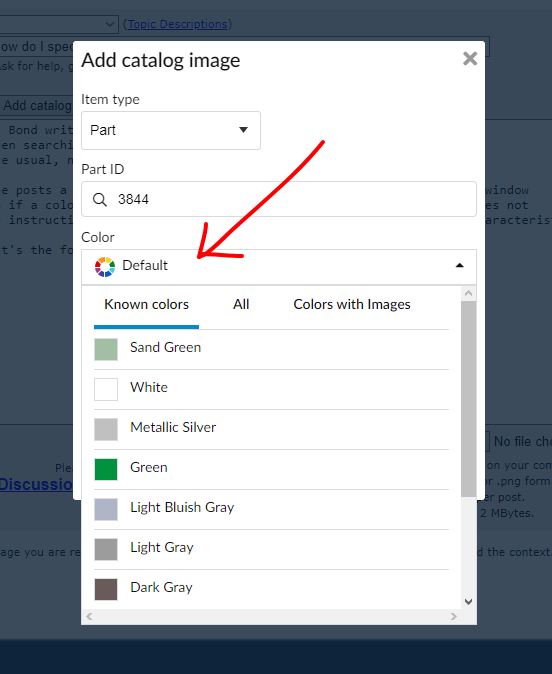

 Netherlands, Groningen