* Add 1 Part 79194 Trans-Clear Plate, Round 1 x 1 with Bar Handle on Long Stem (Alternate) (match ID 1)
* Change 1 Part Trans-Clear 25893 Plate, Round 1 x 1 with Bar Handle on Short Stem {match ID 0 to 1}
Comments from Submitter:
Okay, so I change the existing one to add a match id, then add a new one with the match id?
How do I find the next inventory item id in the sequence?
* Add 1 Part 79194 Trans-Clear Plate, Round 1 x 1 with Bar Handle on Long Stem (Alternate) (match ID 1)
* Change 1 Part Trans-Clear 25893 Plate, Round 1 x 1 with Bar Handle on Short Stem {match ID 0 to 1}
Comments from Submitter:
Okay, so I change the existing one to add a match id, then add a new one with the match id?
How do I find the next inventory item id in the sequence?
This is where you can see the match id, it dosnt look like that set has any yet
so number 1 which you choose would be up
Okay, I got that, so now how do I add the same in the extras?
I tried doing the same thing, but it didn't work. it said the match id is
the same as existing id. (I used 2 when trying to add an alternate for the extra.)
Go figure. The first time I try to correct/update an inventory, it has to be
one with an extra part.
* Add 1 Part 79194 Trans-Clear Plate, Round 1 x 1 with Bar Handle on Long Stem (Alternate) (match ID 1)
* Change 1 Part Trans-Clear 25893 Plate, Round 1 x 1 with Bar Handle on Short Stem {match ID 0 to 1}
Comments from Submitter:
Okay, so I change the existing one to add a match id, then add a new one with the match id?
How do I find the next inventory item id in the sequence?
This is where you can see the match id, it dosnt look like that set has any yet
so number 1 which you choose would be up
Okay, I got that, so now how do I add the same in the extras?
I tried doing the same thing, but it didn't work. it said the match id is
the same as existing id. (I used 2 when trying to add an alternate for the extra.)
Go figure. The first time I try to correct/update an inventory, it has to be
one with an extra part.
I can’t say I’ve ever done a match id for an extra so hopefully someone who
knows more can respond but I’ll see if I can find examples.
* Add 1 Part 79194 Trans-Clear Plate, Round 1 x 1 with Bar Handle on Long Stem (Alternate) (match ID 1)
* Change 1 Part Trans-Clear 25893 Plate, Round 1 x 1 with Bar Handle on Short Stem {match ID 0 to 1}
Comments from Submitter:
Okay, so I change the existing one to add a match id, then add a new one with the match id?
How do I find the next inventory item id in the sequence?
This is where you can see the match id, it dosnt look like that set has any yet
so number 1 which you choose would be up
Okay, I got that, so now how do I add the same in the extras?
I tried doing the same thing, but it didn't work. it said the match id is
the same as existing id. (I used 2 when trying to add an alternate for the extra.)
That is a known bug. It's not possible to add match IDs for extra parts through
the form. The can only be added manually by an inventories administrator at this
time.
Go figure. The first time I try to correct/update an inventory, it has to be
one with an extra part.
* Add 1 Part 79194 Trans-Clear Plate, Round 1 x 1 with Bar Handle on Long Stem (Alternate) (match ID 1)
* Change 1 Part Trans-Clear 25893 Plate, Round 1 x 1 with Bar Handle on Short Stem {match ID 0 to 1}
Comments from Submitter:
Okay, so I change the existing one to add a match id, then add a new one with the match id?
How do I find the next inventory item id in the sequence?
This is where you can see the match id, it dosnt look like that set has any yet
so number 1 which you choose would be up


 USA, Missouri


 Canada, Ontario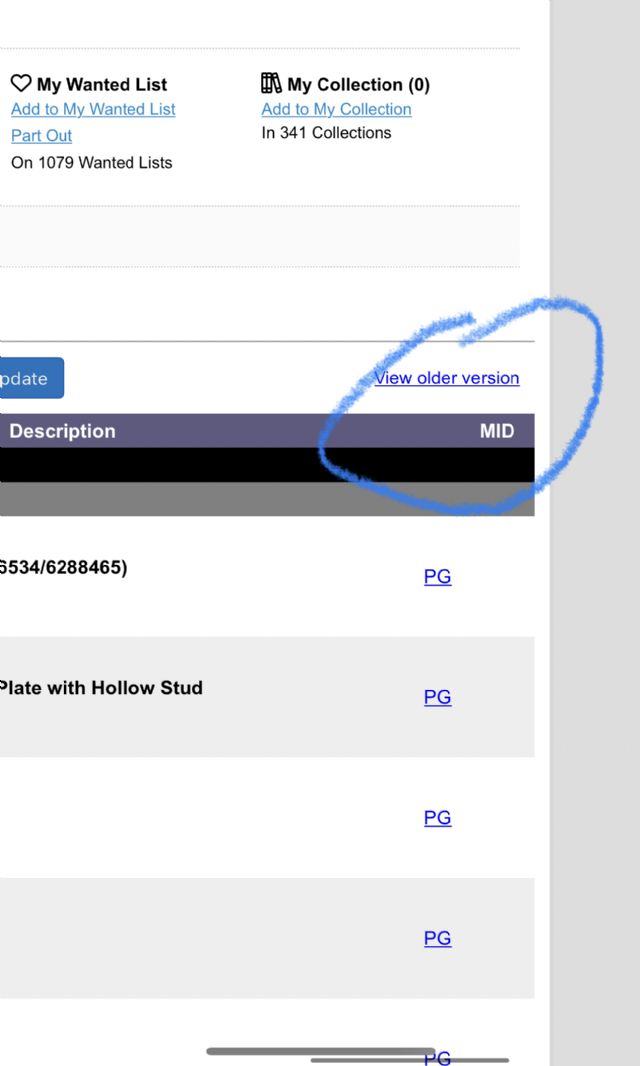
 I can’t say I’ve ever done a match id for an extra so hopefully someone who

 Germany, Niedersachsen