in my series 10 model i used only bricks and color combinations, that are available.
I wantet to add some stickers tho. So i created a few custom parts with the partdesigner.
i made sure, that i woul only create custom parts/stickers on parts that are
actually available in bdp series 10.
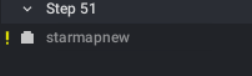
After i add them in my final model they still show up as a nonexisting part in
my step list.
Is this acdeptable or if not, how can it be fixed.
It is shown in the image attached.
Thank you for your help.
in my series 10 model i used only bricks and color combinations, that are available.
I wantet to add some stickers tho. So i created a few custom parts with the partdesigner.
i made sure, that i woul only create custom parts/stickers on parts that are
actually available in bdp series 10.
After i add them in my final model they still show up as a nonexisting part in
my step list.
Is this acdeptable or if not, how can it be fixed.
It is shown in the image attached.
Thank you for your help.
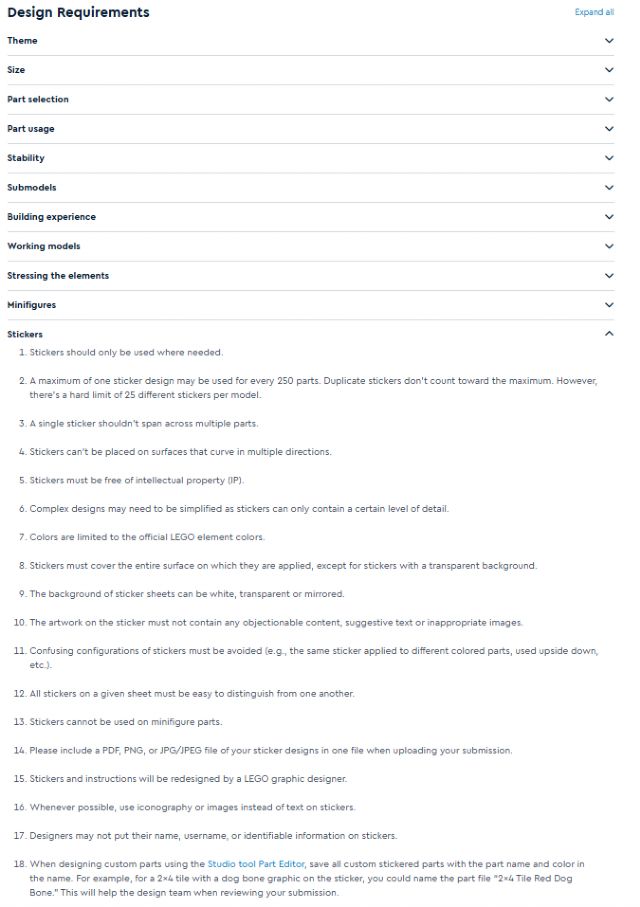
on the submission guidelines page there is a list of what to do with stickers
in my series 10 model i used only bricks and color combinations, that are available.
I wantet to add some stickers tho. So i created a few custom parts with the partdesigner.
i made sure, that i woul only create custom parts/stickers on parts that are
actually available in bdp series 10.
After i add them in my final model they still show up as a nonexisting part in
my step list.
Is this acdeptable or if not, how can it be fixed.
It is shown in the image attached.
Thank you for your help.
It’s no problem at all. It’s expected. The stickers/stickered parts aren’t
in the palette, so they are shown when you filter.
If it’s the only parts that show then you’re good
During the submission, you’ll also see that your model has a small percentage
of “wrong” parts.
You just need to check it’s the same number as the number of stickers/stickered
parts in your build.
The team will do the same and your design will be accepted.
Don’t forget to enter the number of stickers in your build in the appropriate
field and to provide a “sticker sheet.” The “sticker sheet” is just a document
(PDF, image, Word…) that shows all the sticker. No need to make anything printable,
it’s just for the team to see them all easily without having to search inside
the build.
in my series 10 model i used only bricks and color combinations, that are available.
I wantet to add some stickers tho. So i created a few custom parts with the partdesigner.
i made sure, that i woul only create custom parts/stickers on parts that are
actually available in bdp series 10.
After i add them in my final model they still show up as a nonexisting part in
my step list.
Is this acdeptable or if not, how can it be fixed.
It is shown in the image attached.
Thank you for your help.
It’s no problem at all. It’s expected. The stickers/stickered parts aren’t
in the palette, so they are shown when you filter.
If it’s the only parts that show then you’re good
During the submission, you’ll also see that your model has a small percentage
of “wrong” parts.
You just need to check it’s the same number as the number of stickers/stickered
parts in your build.
The team will do the same and your design will be accepted.
Don’t forget to enter the number of stickers in your build in the appropriate
field and to provide a “sticker sheet.” The “sticker sheet” is just a document
(PDF, image, Word…) that shows all the sticker. No need to make anything printable,
it’s just for the team to see them all easily without having to search inside
the build.


 Germany, Baden-Württemberg


 Canada, Alberta

 France, Nouvelle-Aquitaine