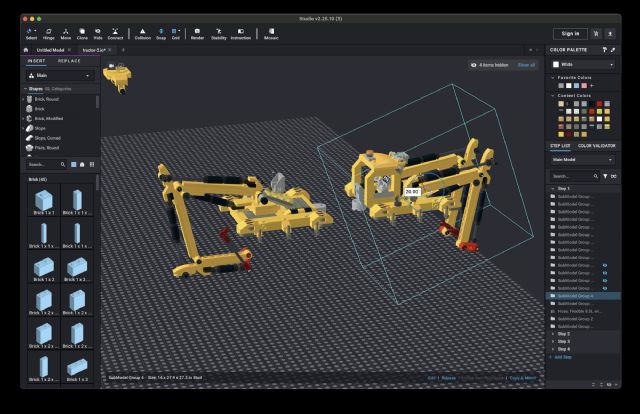
Does anyone know a way to force axis-aligned bounding boxes when creating a submodel
in Studio? See the below image - the bounding boxes is rotated in an inconvenient
way.
I believe the Submodel bounds are smaller the way Studio generates them, but
it makes the resulting model irritating to work with and causes the alignment
tools and ground offset to be nearly useless.
---
I've tried releasing the outermost "unaligned" submodel, deselecting
one of its children, re-adding the child to the selected items, and re-grouping
with the yellow box axis-aligned still produces a rotated bounding box. I've
tried these steps with a single axis-aligned brick and the results are the same.
Does anyone know a way to force axis-aligned bounding boxes when creating a submodel
in Studio? See the below image - the bounding boxes is rotated in an inconvenient
way. […]
Hi,
The submodel is aligned on the first of its part. That is, the first one that
appears in the Step List, the first part in the first step.


 USA, New Hampshire


 France, Nouvelle-Aquitaine