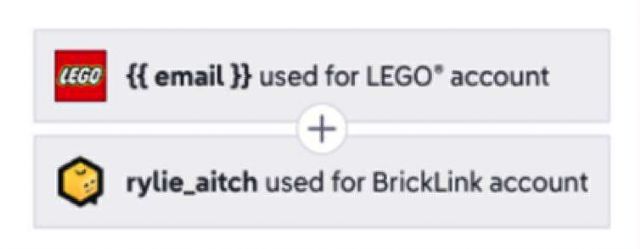
Merging my accounts wasn't easy... It said I need to enter a valid email
address, but the field was uneditable (it should have been pulling it in automatically).
I was able to remove "readonly" from the element in DevTools, type in
my email manually, and then I was able to get through. But I'm not sure why
it couldn't find my email in the first place? As far as I can tell in my
profiles, both BrickLink and Lego have my email correct. Did I mess anything
up by putting it in manually here? Wasn't given much of a choice!
Merging my accounts wasn't easy... It said I need to enter a valid email
address, but the field was uneditable (it should have been pulling it in automatically).
I was able to remove "readonly" from the element in DevTools, type in
my email manually, and then I was able to get through. But I'm not sure why
it couldn't find my email in the first place? As far as I can tell in my
profiles, both BrickLink and Lego have my email correct. Did I mess anything
up by putting it in manually here? Wasn't given much of a choice!
Rylie
Hm, it seems my BrickLink account doesn't have an email address at all anymore.
No way to edit it, since (change) just goes to lego.com, which DOES have my email.
How can I update that here?
Merging my accounts wasn't easy... It said I need to enter a valid email
address, but the field was uneditable (it should have been pulling it in automatically).
I was able to remove "readonly" from the element in DevTools, type in
my email manually, and then I was able to get through. But I'm not sure why
it couldn't find my email in the first place? As far as I can tell in my
profiles, both BrickLink and Lego have my email correct. Did I mess anything
up by putting it in manually here? Wasn't given much of a choice!
Rylie
Hm, it seems my BrickLink account doesn't have an email address at all anymore.
No way to edit it, since (change) just goes to lego.com, which DOES have my email.
How can I update that here?
Oh cool, now BrickLink says my email is "2278217@unknown.email". where
the heck did that come from and why can't I change it
Merging my accounts wasn't easy... It said I need to enter a valid email
address, but the field was uneditable (it should have been pulling it in automatically).
I was able to remove "readonly" from the element in DevTools, type in
my email manually, and then I was able to get through. But I'm not sure why
it couldn't find my email in the first place? As far as I can tell in my
profiles, both BrickLink and Lego have my email correct. Did I mess anything
up by putting it in manually here? Wasn't given much of a choice!
Rylie
Hm, it seems my BrickLink account doesn't have an email address at all anymore.
No way to edit it, since (change) just goes to lego.com, which DOES have my email.
How can I update that here?
Oh cool, now BrickLink says my email is "2278217@unknown.email". where
the heck did that come from and why can't I change it
Sounds like quite the stylish email you’ve got there!


 USA, Colorado

)
)



 Canada, Ontario