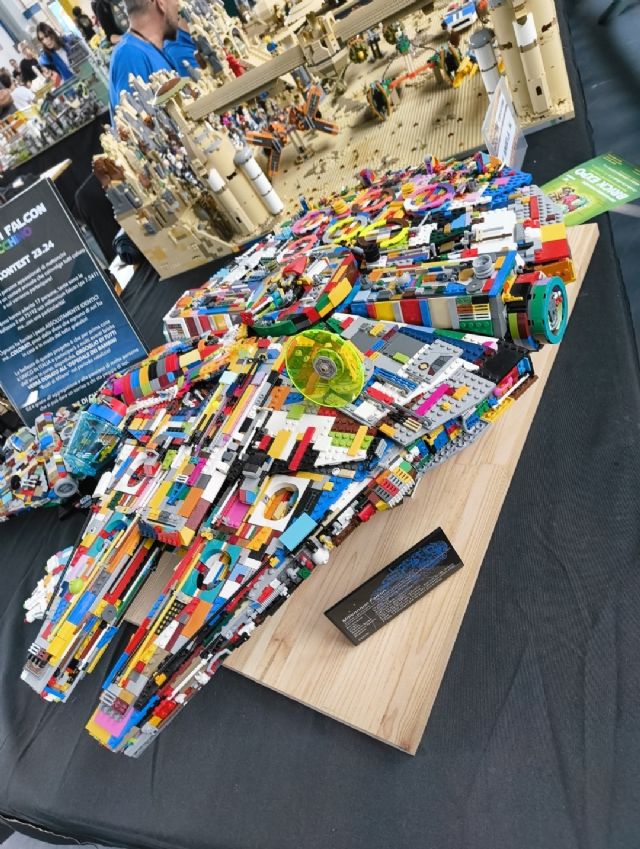
Good morning guys! I have a question to ask: I would like to build the Millennium
Falcon "Arlecchino". yes I know it's trivial but I like it a lot!
I added the list to my "favorites" but I don't know how to do a search
without taking into account the color of the original set. I would like to do
a search for the pieces regardless of the color.
is there a way to do it? is it a feature that can be implemented?
Good morning guys! I have a question to ask: I would like to build the Millennium
Falcon "Arlecchino". yes I know it's trivial but I like it a lot!
I added the list to my "favorites" but I don't know how to do a search
without taking into account the color of the original set. I would like to do
a search for the pieces regardless of the color.
is there a way to do it? is it a feature that can be implemented?
Hi,
You can change the colour of all the parts to “Not Applicable.” That colour
means “any colour” in Wanted List searches.
But two things to know first:
1. You won’t be able to do it for all the parts at once if the same part is in
multiple colours in your list.
That is, if you have for instance a line with plate 1x2 in Black and another
with plate 1x2 in White, you can’t change both at the same time to N/A because
you then would have 2 lines with the same part in the same colour, and that’s
forbidden for Wanted Lists and the website can’t consolidate (“merge”) the lines
on its own.
So you’ll need to consolidate the lots manually.
Another solution is to use BrickStock to change the colours and consolidate the
lots.
2. Auto-select (or Easybuy) is not very good with “N/A” parts. It’s supposed
to choose the cheapest colour but it can be the exact opposite (that is, very
expensive).
It indeed seems it tries to use the same colour for all the parts 🤦 or something
like that.
N/A works well in stores though.
In any case, be careful and check the prices.
Good morning guys! I have a question to ask: I would like to build the Millennium
Falcon "Arlecchino". yes I know it's trivial but I like it a lot!
I added the list to my "favorites" but I don't know how to do a search
without taking into account the color of the original set. I would like to do
a search for the pieces regardless of the color.
is there a way to do it? is it a feature that can be implemented?
If you use the special color 'Not applicable' in your wanted list: this
functions as a joker or wild card and will match any color in the stores.
However, there are some problems:
(1) if you try to bulk change the color of parts in your wanted list, you will
probably end up with duplicate lots, and that is not allowed by the Bricklink
user interface. You get the message "Only one item/color combination is allowed
per wanted list". You will have to manually merge the two lots into one lot.
For example you have 20 Black and 40 Light Bluish Gray plates 1x4 on your list
that you want to change to 'Not applicable' color. A bulk replace would
try to change 20 Black to 20 Not applicable and simultaneously 40 Light Bluish
Gray to 40 Not applicable, while you would need 60 Not applicable.
(2) if despite (1) you have the items on your wanted list in the special color
'Not applicable', the system will match all colors. In a shop, using
the Min Buy feature, it will automatically select items from all colors but not
limit itself to the amount you needed, so you would end up with a lot more parts
than you wanted. For example the 60 plates 1x4 are available in a shop in Red,
White and Blue in abundant quantities, you might up with 180 plates 1x4 or even
more if the shop has duplicate lots. Again, you have to manually correct this
when putting the lots in your cart.
(3) Because of (2), the Buy All feature gets very confused and will likely offer
you a very expensive combination of shops.


 Italy, Piemonte



 France, Nouvelle-Aquitaine

 Netherlands, Groningen