This slight offset is driving me crazy. This is my first time using brinklink
studio and am impressed. Lots of hinges and angles in this piece make it tricky
but everything went smoothly until I went to close the loop.
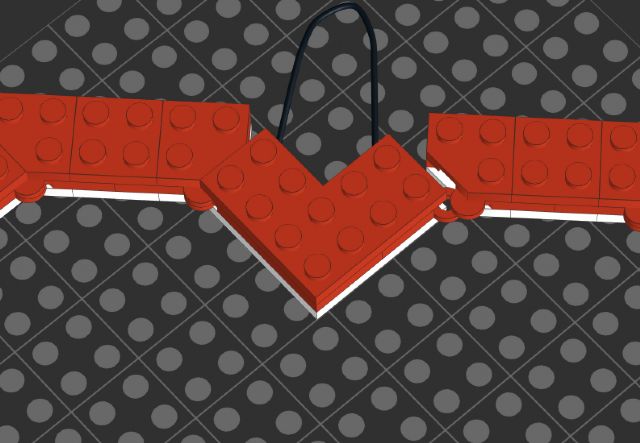
Because of the precision of brinklink studio there is this small loop. I believe
in a real build we would force this to close with some flex. Any ideas on what
could be done to address this?
This slight offset is driving me crazy. This is my first time using brinklink
studio and am impressed. Lots of hinges and angles in this piece make it tricky
but everything went smoothly until I went to close the loop.
Because of the precision of brinklink studio there is this small loop. I believe
in a real build we would force this to close with some flex. Any ideas on what
could be done to address this?
Not sure this specific problem, but you can change the step grid size (for more/less
precision) and/or use the AWSD keys to move parts/submodels.
This slight offset is driving me crazy. This is my first time using brinklink
studio and am impressed. Lots of hinges and angles in this piece make it tricky
but everything went smoothly until I went to close the loop.
Because of the precision of brinklink studio there is this small loop. I believe
in a real build we would force this to close with some flex. Any ideas on what
could be done to address this?
Not sure this specific problem, but you can change the step grid size (for more/less
precision) and/or use the AWSD keys to move parts/submodels.


 USA, Delaware

)
)

 France, Provence-Alpes-Côte d'Azur

