Discussion Forum: Thread 365457

 Author: Tamestry View Messages Posted By Tamestry
 Posted: Dec 18, 2024 13:45
 Subject: Large images
 Viewed: 89 times
 Topic: Technical Issues
 Report:
Cancel Message
Cancel
Reply to Message
Reply
BrickLink
ID Card

Tamestry (1529)

Location:  USA, Pennsylvania
Member Since Contact Type Status
Jan 9, 2020 Contact Member Buyer
Buying Privileges - OK
Why are the images in my collection so huge. It’s crazy.
How can I make them smaller again like they were ?
 Author: SylvainLS View Messages Posted By SylvainLS
 Posted: Dec 18, 2024 13:55
 Subject: Re: Large images
 Viewed: 51 times
 Topic: Technical Issues
 Report:
Cancel Message
Cancel
Reply to Message
Reply
BrickLink
ID Card

SylvainLS (52)

Location:  France, Nouvelle-Aquitaine
Member Since Contact Type Status
Apr 25, 2014 Contact Member Seller
Buying Privileges - OKSelling Privileges - OK
Store Closed Store: BuyerOnly
BrickLink Discussions Moderator (?)
In My Collection, Tamestry writes:
  Why are the images in my collection so huge. It’s crazy.
How can I make them smaller again like they were ?

Hi,

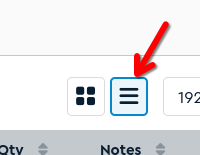
I don’t think the size changed.  Maybe you went from the list view to the icon
view?
 
 Author: Tamestry View Messages Posted By Tamestry
 Posted: Dec 18, 2024 14:17
 Subject: Re: Large images
 Viewed: 43 times
 Topic: Technical Issues
 Report:
Cancel Message
Cancel
Reply to Message
Reply
BrickLink
ID Card

Tamestry (1529)

Location:  USA, Pennsylvania
Member Since Contact Type Status
Jan 9, 2020 Contact Member Buyer
Buying Privileges - OK
In My Collection, SylvainLS writes:
  In My Collection, Tamestry writes:
  Why are the images in my collection so huge. It’s crazy.
How can I make them smaller again like they were ?

Hi,

I don’t think the size changed.  Maybe you went from the list view to the icon
view?

Thanks for responding.
No I didn’t. In the box version it was 6 across. Now it is only 2.
 Author: SylvainLS View Messages Posted By SylvainLS
 Posted: Dec 18, 2024 14:30
 Subject: Re: Large images
 Viewed: 56 times
 Topic: Technical Issues
 Report:
Cancel Message
Cancel
Reply to Message
Reply
BrickLink
ID Card

SylvainLS (52)

Location:  France, Nouvelle-Aquitaine
Member Since Contact Type Status
Apr 25, 2014 Contact Member Seller
Buying Privileges - OKSelling Privileges - OK
Store Closed Store: BuyerOnly
BrickLink Discussions Moderator (?)
In My Collection, Tamestry writes:
  […]
Thanks for responding.
No I didn’t. In the box version it was 6 across. Now it is only 2.

The frame around a part has a width of about 270 pixels for me.

Are you zooming in?

What browser are you using?
 Author: Tamestry View Messages Posted By Tamestry
 Posted: Dec 18, 2024 15:46
 Subject: Re: Large images
 Viewed: 43 times
 Topic: Technical Issues
 Report:
Cancel Message
Cancel
Reply to Message
Reply
BrickLink
ID Card

Tamestry (1529)

Location:  USA, Pennsylvania
Member Since Contact Type Status
Jan 9, 2020 Contact Member Buyer
Buying Privileges - OK
In My Collection, SylvainLS writes:
  In My Collection, Tamestry writes:
  […]
Thanks for responding.
No I didn’t. In the box version it was 6 across. Now it is only 2.

The frame around a part has a width of about 270 pixels for me.

Are you zooming in?

What browser are you using?

I’m using Safari.
No zoom at all.
All other pages are pretty normal.
 Author: SylvainLS View Messages Posted By SylvainLS
 Posted: Dec 18, 2024 15:50
 Subject: Re: Large images
 Viewed: 46 times
 Topic: Technical Issues
 Report:
Cancel Message
Cancel
Reply to Message
Reply
BrickLink
ID Card

SylvainLS (52)

Location:  France, Nouvelle-Aquitaine
Member Since Contact Type Status
Apr 25, 2014 Contact Member Seller
Buying Privileges - OKSelling Privileges - OK
Store Closed Store: BuyerOnly
BrickLink Discussions Moderator (?)
In Technical Issues, Tamestry writes:
  In My Collection, SylvainLS writes:
  In My Collection, Tamestry writes:
  […]
Thanks for responding.
No I didn’t. In the box version it was 6 across. Now it is only 2.

The frame around a part has a width of about 270 pixels for me.

Are you zooming in?

What browser are you using?

I’m using Safari.
No zoom at all.
All other pages are pretty normal.

Okay, weird.  Moving the thread to Technical Issues.
 Author: Tamestry View Messages Posted By Tamestry
 Posted: Dec 18, 2024 16:32
 Subject: Re: Large images
 Viewed: 45 times
 Topic: Technical Issues
 Report:
Cancel Message
Cancel
Reply to Message
Reply
BrickLink
ID Card

Tamestry (1529)

Location:  USA, Pennsylvania
Member Since Contact Type Status
Jan 9, 2020 Contact Member Buyer
Buying Privileges - OK
In Technical Issues, SylvainLS writes:
  In Technical Issues, Tamestry writes:
  In My Collection, SylvainLS writes:
  In My Collection, Tamestry writes:
  […]
Thanks for responding.
No I didn’t. In the box version it was 6 across. Now it is only 2.

The frame around a part has a width of about 270 pixels for me.

Are you zooming in?

What browser are you using?

I’m using Safari.
No zoom at all.
All other pages are pretty normal.

Okay, weird.  Moving the thread to Technical Issues.


Thanks for your help.
 Author: Tamestry View Messages Posted By Tamestry
 Posted: Dec 24, 2024 13:22
 Subject: Re: Large images
 Viewed: 45 times
 Topic: Technical Issues
 Report:
Cancel Message
Cancel
Reply to Message
Reply
BrickLink
ID Card

Tamestry (1529)

Location:  USA, Pennsylvania
Member Since Contact Type Status
Jan 9, 2020 Contact Member Buyer
Buying Privileges - OK
In Technical Issues, Tamestry writes:
  Why are the images in my collection so huge. It’s crazy.
How can I make them smaller again like they were ?


Update.
I still haven’t gotten this figured out.
I think I should also clarify that I’m using an IPAD as well if that matters.
Thanks for any input.
Tamara H