2) there are a few parts in it that are rather rare, and four whose exact presentation
is irrelevant. Can I indicate that?
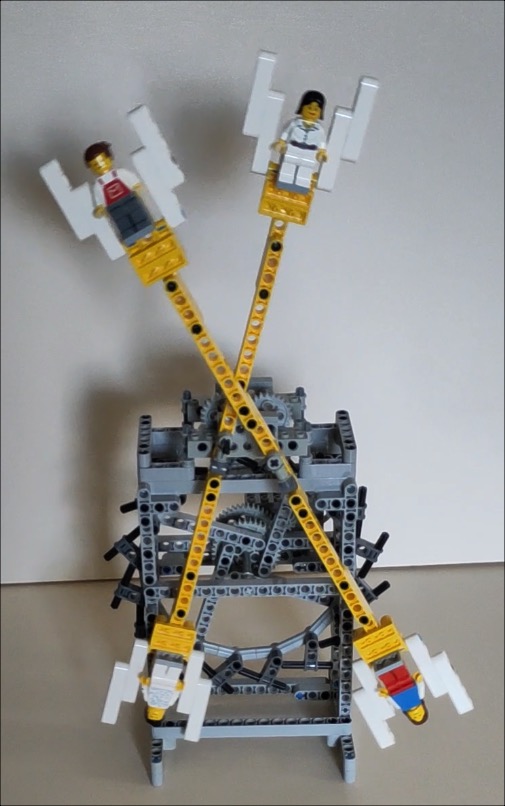
For example there are four minifigs in the build, but they can be any minifig.
I chose a particular torso in Studio, so now the parts list says four of them
are needed, but in fact the parts list should say that any torso, any legs, any
head is OK.
The other part comes in two possible forms, one with and one without a slot.
Both will do the job equally well.
So is there any way to list alternative parts that would be equally good? This
would certainly reduce the number of shops to search, and thus reduce the price.
3) the building instructions stop with five separate submodels, which must then
be assembled in a particular order. But I found no way to do that.
4) lastly, a fine tweak must be made if the clock is to work like the real thing.
But those instructions need text, I don't think they can be given only with
drawings unless in a very complex series.
The first and default picture is the thumbnail that’s included in the .io.
Edit your model to add pictures:
— My Studio / published: https://www.bricklink.com/v3/studio/my_studio.page?type=studio-gallery
— Click on the design’s name.
— Scroll down a bit to see the image(s) and add other images (click + or drag&drop
from a finder/explorer window).
— You can reorder the images by grabbing and sliding them.
— You can delete every pic but the first one (so you need to reorder before you
can delete the ugly default one).
Then scroll down all the way to the bottom to save your changes.
For the link, you can add it in the description… but I don’t know if the changes
will trigger a new moderation and if that will be accepted (should be, but forums
mods aren’t involved).
2) there are a few parts in it that are rather rare, and four whose exact presentation
is irrelevant. Can I indicate that?
For example there are four minifigs in the build, but they can be any minifig.
I chose a particular torso in Studio, so now the parts list says four of them
are needed, but in fact the parts list should say that any torso, any legs, any
head is OK.
The other part comes in two possible forms, one with and one without a slot.
Both will do the job equally well.
So is there any way to list alternative parts that would be equally good? This
would certainly reduce the number of shops to search, and thus reduce the price.
Add all that in the description.
3) the building instructions stop with five separate submodels, which must then
be assembled in a particular order. But I found no way to do that.
And/or head over the dedicated forum for Studio: https://forum.bricklink.com/
(hover over the red Studio icon on every page, then click “Studio Forum”).
4) lastly, a fine tweak must be made if the clock is to work like the real thing.
But those instructions need text, I don't think they can be given only with
drawings unless in a very complex series.
You can add text to Studio instructions (see the help pages).


 France, Auvergne-Rhône-Alpes