So I made a big purchase from a large wanted list today. One of the sellers I
bought from offered free shipping ($40) if I spent another $100 in the store.
So I went through and added parts that I needed for other wanted lists until
I hit the dollar amount.
As I will still need to purchase these other wanted lists at some point, I will
no longer need the pieces I purchased today. Is there an easy way to go through
and remove these items other than manually going one by one myself?
So I made a big purchase from a large wanted list today. One of the sellers I
bought from offered free shipping ($40) if I spent another $100 in the store.
So I went through and added parts that I needed for other wanted lists until
I hit the dollar amount.
As I will still need to purchase these other wanted lists at some point, I will
no longer need the pieces I purchased today. Is there an easy way to go through
and remove these items other than manually going one by one myself?
Hi,
There is the “Apply Order” feature (but there’s caveats).
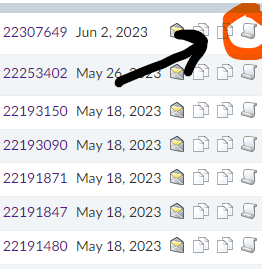
It’s a button on the top row when you visit a Wanted List (WL).
Click on it, it’ll show a dialog to choose an order.
The “application” will change the “Have” fields.
The “Want” fields will stay unchanged.
The progression percentage will change.
BUT
1. You have to be careful because you can apply the same order multiple times,
even on the same list. It doesn’t remember what it did. So if you have several
WLs, and they share some parts, it’ll let you think you bought everything when
you might not.
(E.g. you have 10x Red 2x4 bricks in WL1 and WL2, so a total of 20x, you buy
15x, you apply the order to the two lists, and the two lists have a “Have” of
10x. Not good.)
So it works well when you have only one WL.
2. The “Want” fields are unchanged. AFAIR, the “Have” field is not used consistently
everywhere: sometimes it’s the “Want minus Have” quantity that’s used (good),
sometimes it’s “Want” and “Have” is disregarded (bad). It’s generally an option/filter.
(And there might also be problems with lots in the colour N/A (means “any” in
a WL). I’m not sure how Apply Order handles that, whether all coloured ordered
lots match a wanted N/A lot, or only one (which one?) or none….)
So, I do it with searches, lot per lot, and “order-lists”:
— make a WL from your order (you can do that from the cart, just after checkout,
or from the order details page),
— search your order in all your WLs (you can do that in the Search page for WLs:
menu Want | Search),
— all your WLs will be searched/shown, including the “order-list,”
— you can directly edit your WLs from the search results.
For instance, if you want item X in WL1 and WL2 and if you bought that item X,
the search will show lines for item X: one for WL1, one for WL2, and one for
the “order-list.” So you’ll easily see how many you wanted and how many you
bought.
Note though that the N/A colour is still a problem here (you ordered an item
with a colour which is generally not N/A, so it doesn’t match the colour in the
WL).
(It’s not because an item has been ordered that you have it; wait for it to arrive
before deleting it from your WL).
So I made a big purchase from a large wanted list today. One of the sellers I
bought from offered free shipping ($40) if I spent another $100 in the store.
So I went through and added parts that I needed for other wanted lists until
I hit the dollar amount.
As I will still need to purchase these other wanted lists at some point, I will
no longer need the pieces I purchased today. Is there an easy way to go through
and remove these items other than manually going one by one myself?
Hi,
There is the “Apply Order” feature (but there’s caveats).
It’s a button on the top row when you visit a Wanted List (WL).
Click on it, it’ll show a dialog to choose an order.
The “application” will change the “Have” fields.
The “Want” fields will stay unchanged.
The progression percentage will change.
BUT
1. You have to be careful because you can apply the same order multiple times,
even on the same list. It doesn’t remember what it did. So if you have several
WLs, and they share some parts, it’ll let you think you bought everything when
you might not.
(E.g. you have 10x Red 2x4 bricks in WL1 and WL2, so a total of 20x, you buy
15x, you apply the order to the two lists, and the two lists have a “Have” of
10x. Not good.)
So it works well when you have only one WL.
2. The “Want” fields are unchanged. AFAIR, the “Have” field is not used consistently
everywhere: sometimes it’s the “Want minus Have” quantity that’s used (good),
sometimes it’s “Want” and “Have” is disregarded (bad). It’s generally an option/filter.
(And there might also be problems with lots in the colour N/A (means “any” in
a WL). I’m not sure how Apply Order handles that, whether all coloured ordered
lots match a wanted N/A lot, or only one (which one?) or none….)
So, I do it with searches, lot per lot, and “order-lists”:
— make a WL from your order (you can do that from the cart, just after checkout,
or from the order details page),
— search your order in all your WLs (you can do that in the Search page for WLs:
menu Want | Search),
— all your WLs will be searched/shown, including the “order-list,”
— you can directly edit your WLs from the search results.
For instance, if you want item X in WL1 and WL2 and if you bought that item X,
the search will show lines for item X: one for WL1, one for WL2, and one for
the “order-list.” So you’ll easily see how many you wanted and how many you
bought.
Note though that the N/A colour is still a problem here (you ordered an item
with a colour which is generally not N/A, so it doesn’t match the colour in the
WL).
(It’s not because an item has been ordered that you have it; wait for it to arrive
before deleting it from your WL).
Another question for you....I've added pieces to my collection thinking that
they would show up as "haves" when looking at my wanted lists....ofc
it seems it does not. Is there a way to do that?
[…]
Another question for you....I've added pieces to my collection thinking that
they would show up as "haves" when looking at my wanted lists....ofc
it seems it does not. Is there a way to do that?
So I made a big purchase from a large wanted list today. One of the sellers I
bought from offered free shipping ($40) if I spent another $100 in the store.
So I went through and added parts that I needed for other wanted lists until
I hit the dollar amount.
As I will still need to purchase these other wanted lists at some point, I will
no longer need the pieces I purchased today. Is there an easy way to go through
and remove these items other than manually going one by one myself?


 USA, California


 France, Nouvelle-Aquitaine

 Canada, Ontario