|
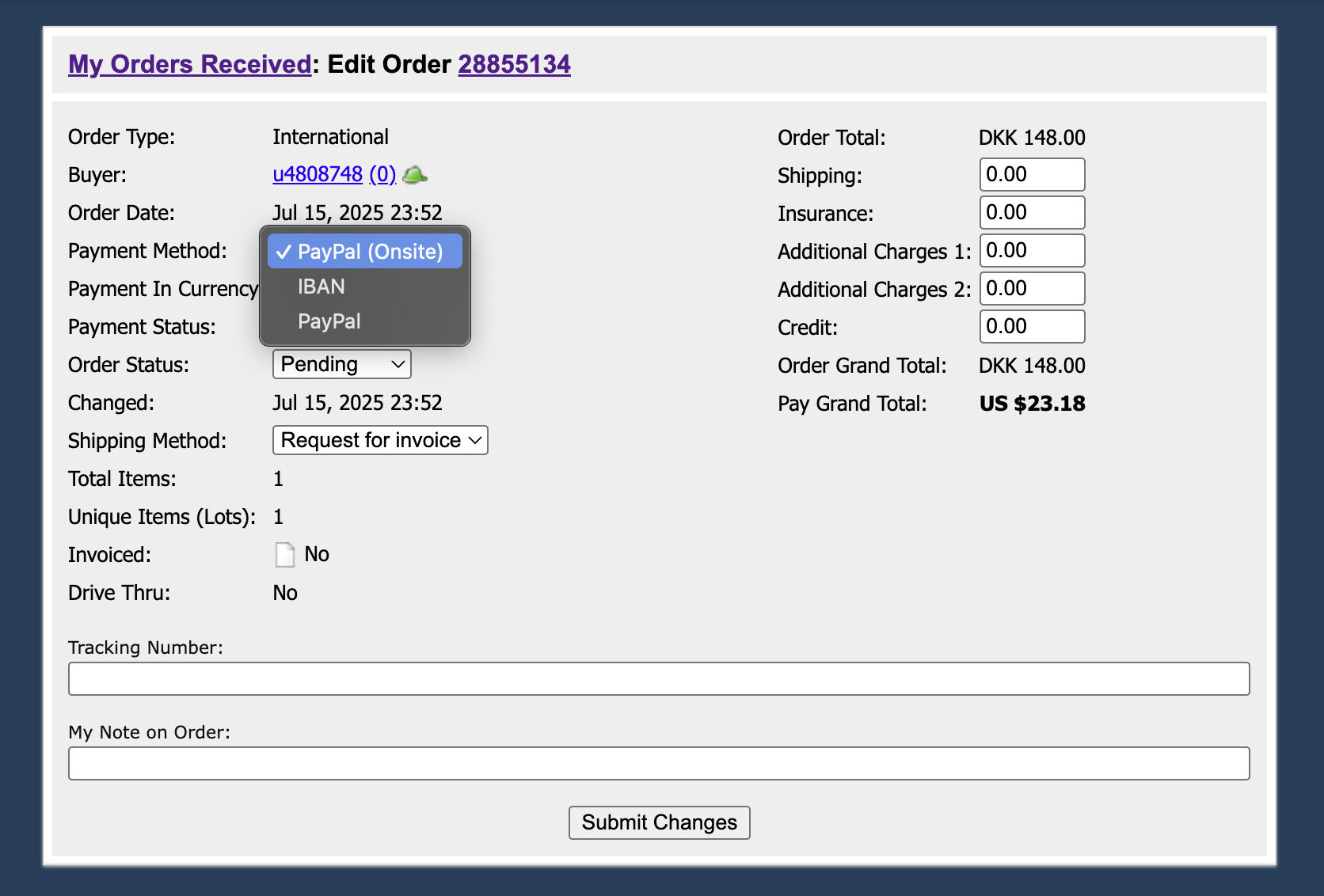
As a seller, you can change an order’s payment method after it’s placed and up until it’s paid for. To change the payment method on an order, click on the ‘Edit order’ hyperlink at the bottom of the Order Detail page. You can also click on the Edit Order icon next to the order number on the Orders Received page. From the Edit Order page, select the Payment Method dropdown:
While you can’t change the payment method on an order after it’s been paid for, you can void the order on the PayPal website. This will change the order status on BrickLink to ‘Ready’ which will allow you to select a different payment method or, for non-Instant Checkout (IC) orders, to reissue an invoice. Learn how here. You can also cancel the order and have the buyer place a new one. To cancel an order, use the Order Cancel Request (OCR) form. |