| |||||||||
EU DSA Reporting Guide | |||||||||
| DSA Overview | |||||||||
|
The Digital Services Act (DSA) is a European Union (EU) law designed to create a safer digital space, protect user rights, and ensure a safe and fair online environment for platforms like BrickLink®. The main changes BrickLink® is introducing to stay compliant with DSA are:
| |||||||||
| Reporting Process | |||||||||
|
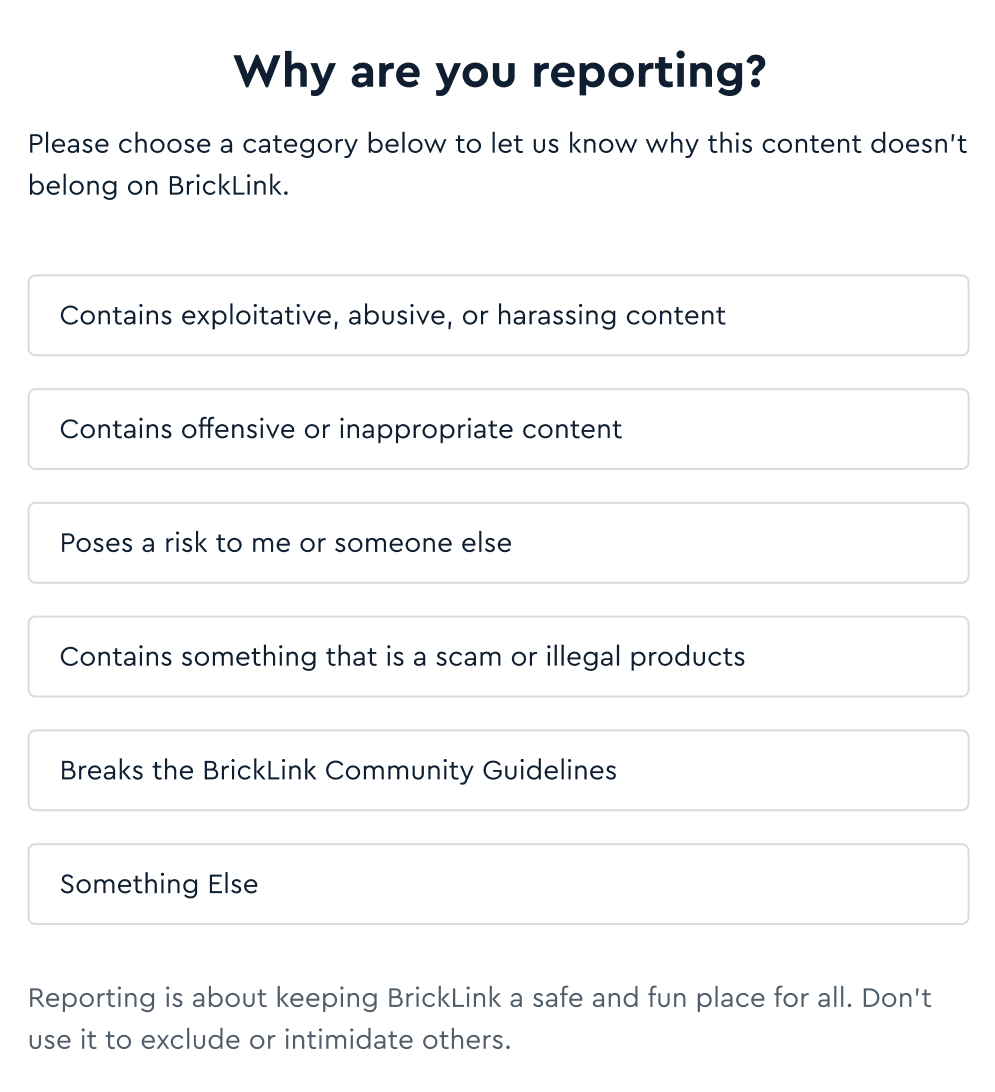
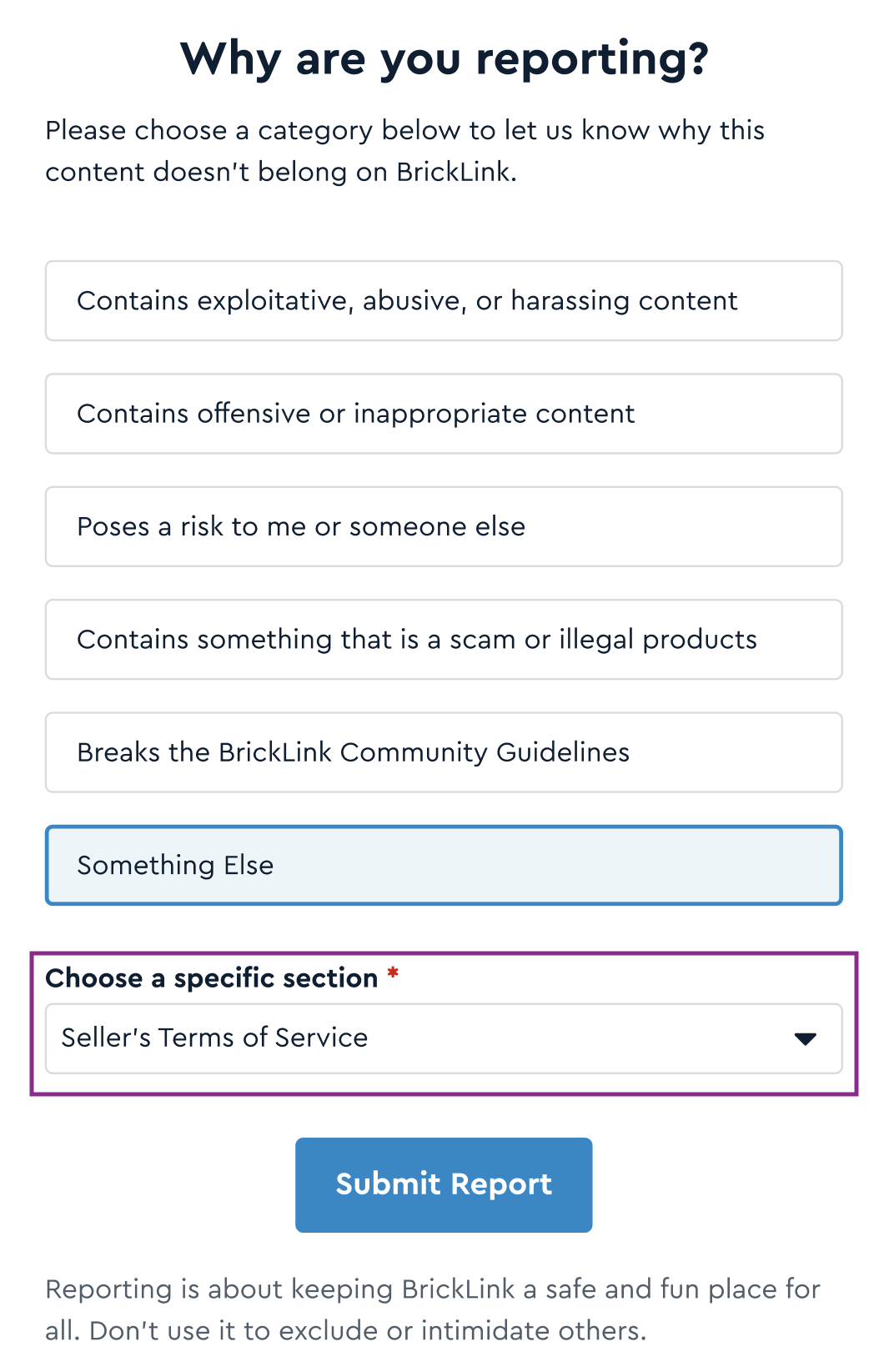
The DSA categorizes types of harmful online content and provides guidance for online platforms like BrickLink on moderation and appeal procedures. The following contains a complete guide to all the reporting features. This page features categories that correspond to specific types of harmful content. All reports are filed through the Report a Problem page.
Once submitted, our team will carefully review all reports, and well take appropriate action as needed. When members disagree with a decision regarding their content, they can file an appeal. More about the appeal procedure could be found in the last section of this page. The list of violations that can be reported includes:
For more details on these changes, please refer to the following: | |||||||||
| Listing Reports | |||||||||
|
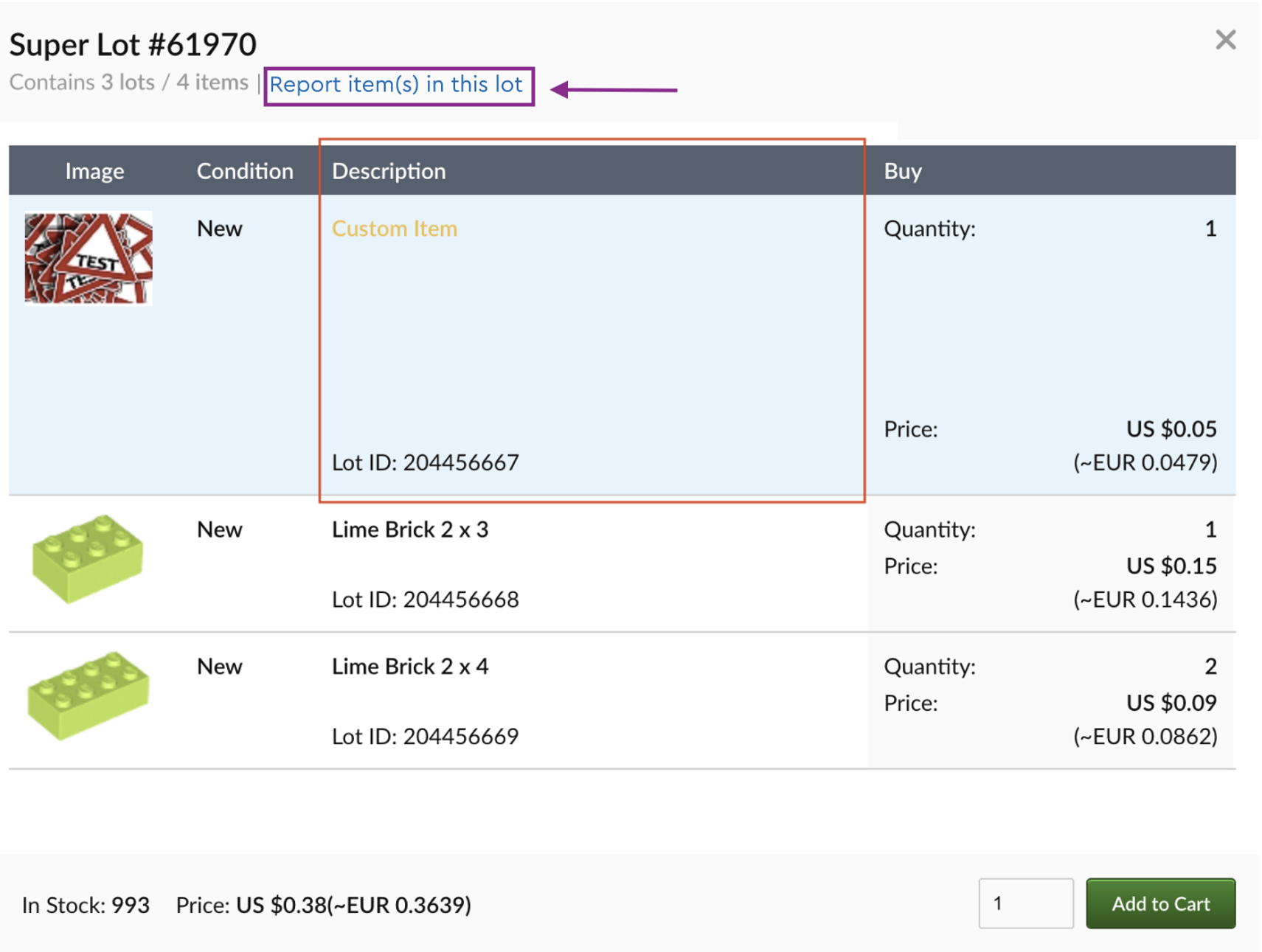
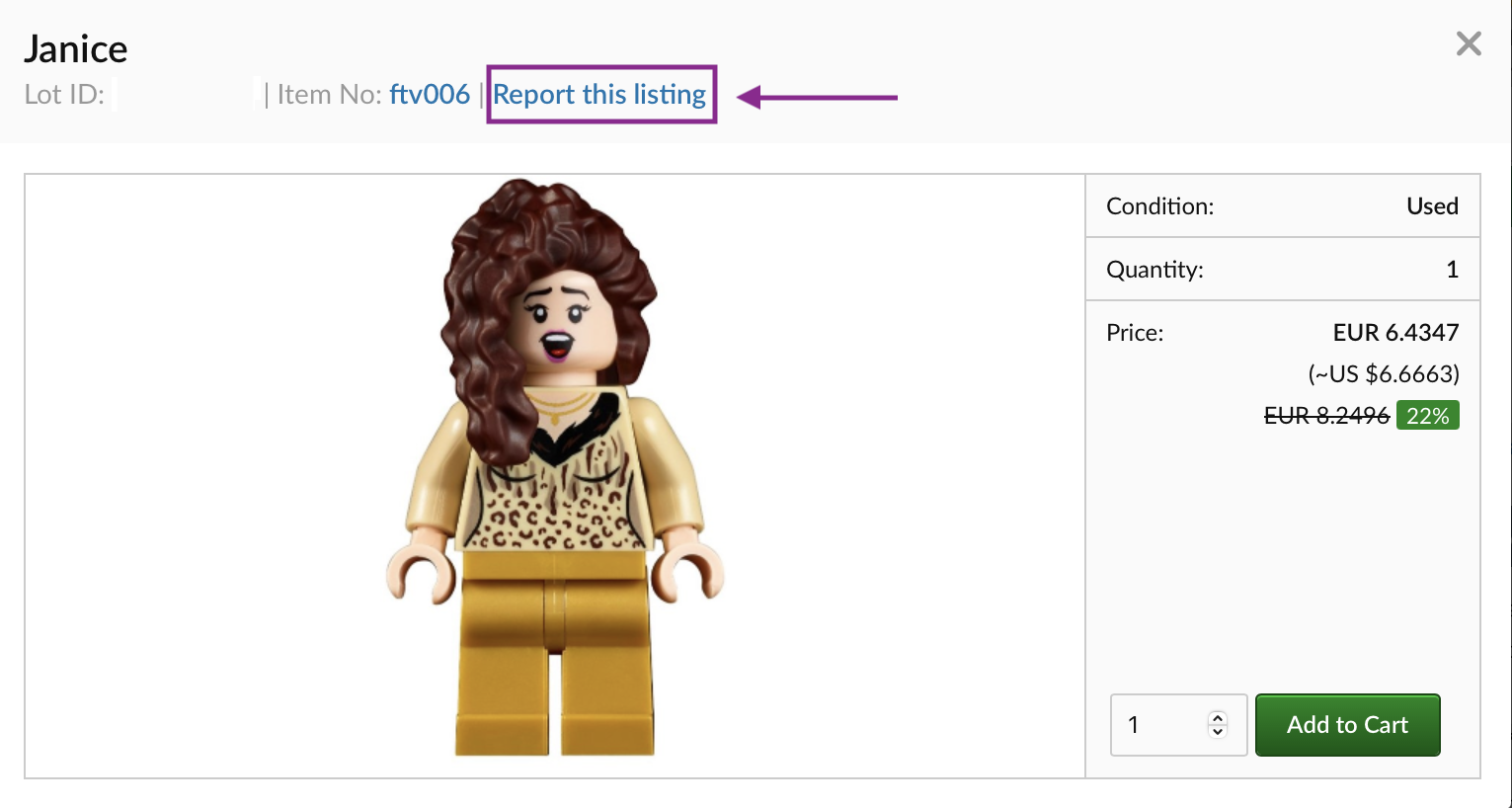
There are several ways to report listed items that are not in line with the BrickLink Listing Policy, Condition Policy, and DSA requirements. Here is a summary of all the ways items can be reported: Store Inventory Item Listing
Featured lots
| |||||||||
| Account Reports | |||||||||
|
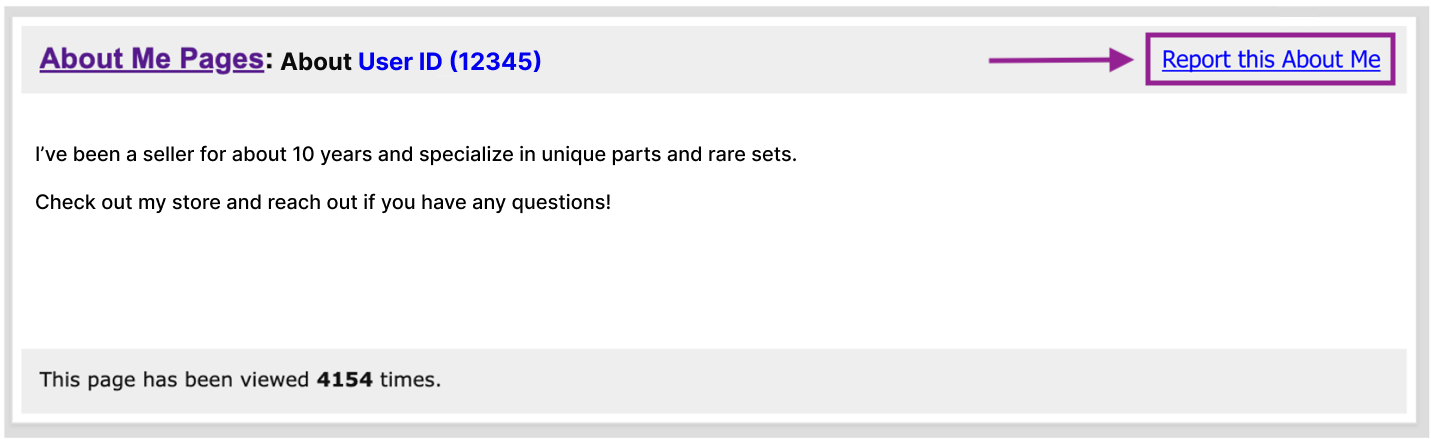
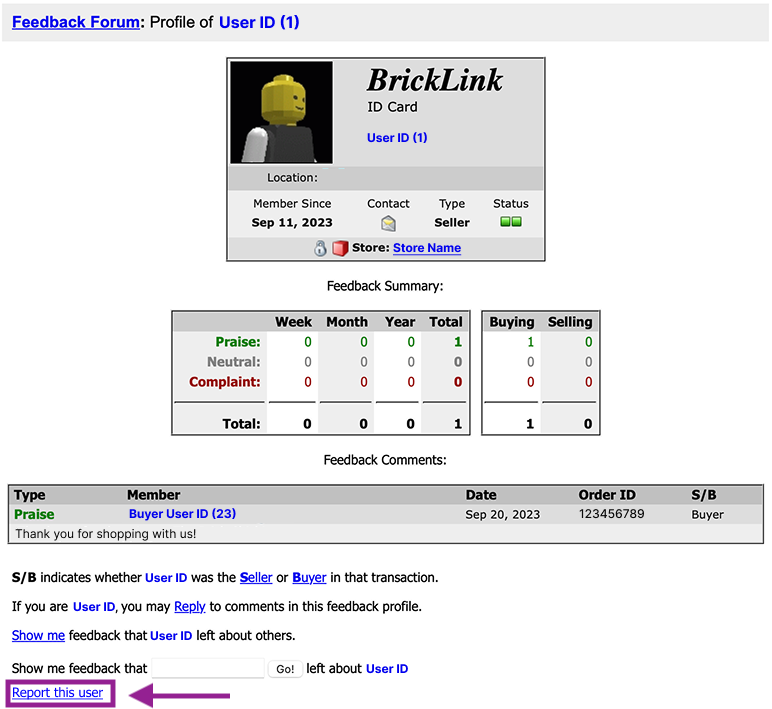
Member violations are regulated by BrickLinks Terms of Service. Note that problem member reports are account specific. This means that an account can only be reported for violations. Problem Member reports
About Me page Click on the “Report this About me” link on the right on the “About me” page:
Member Profile page Scroll to the bottom of the “Member Profile” page and click on the “Report this user” link:
| |||||||||
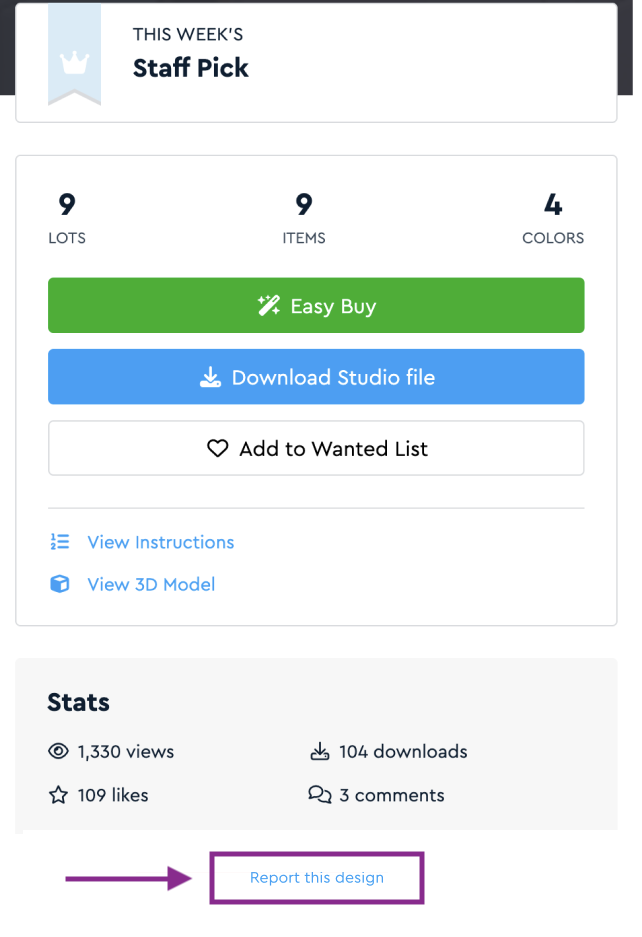
| Studio Gallery Reports | |||||||||
|
| |||||||||
| Comment Reports | |||||||||
|
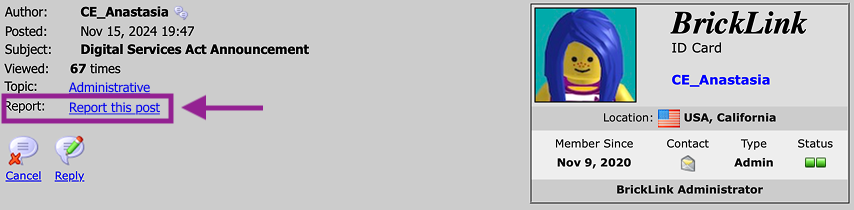
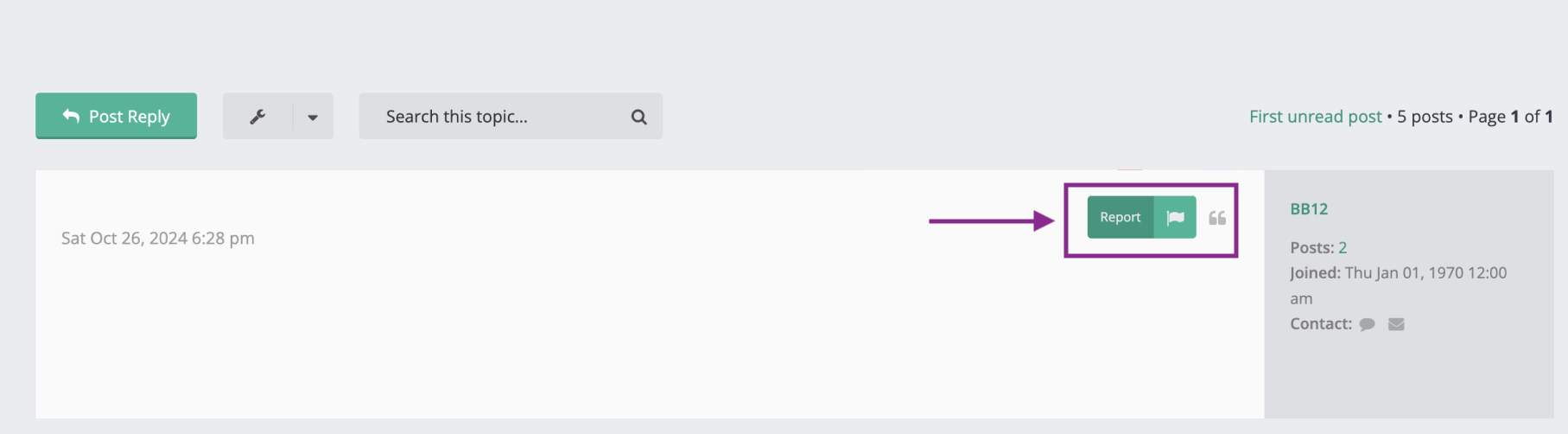
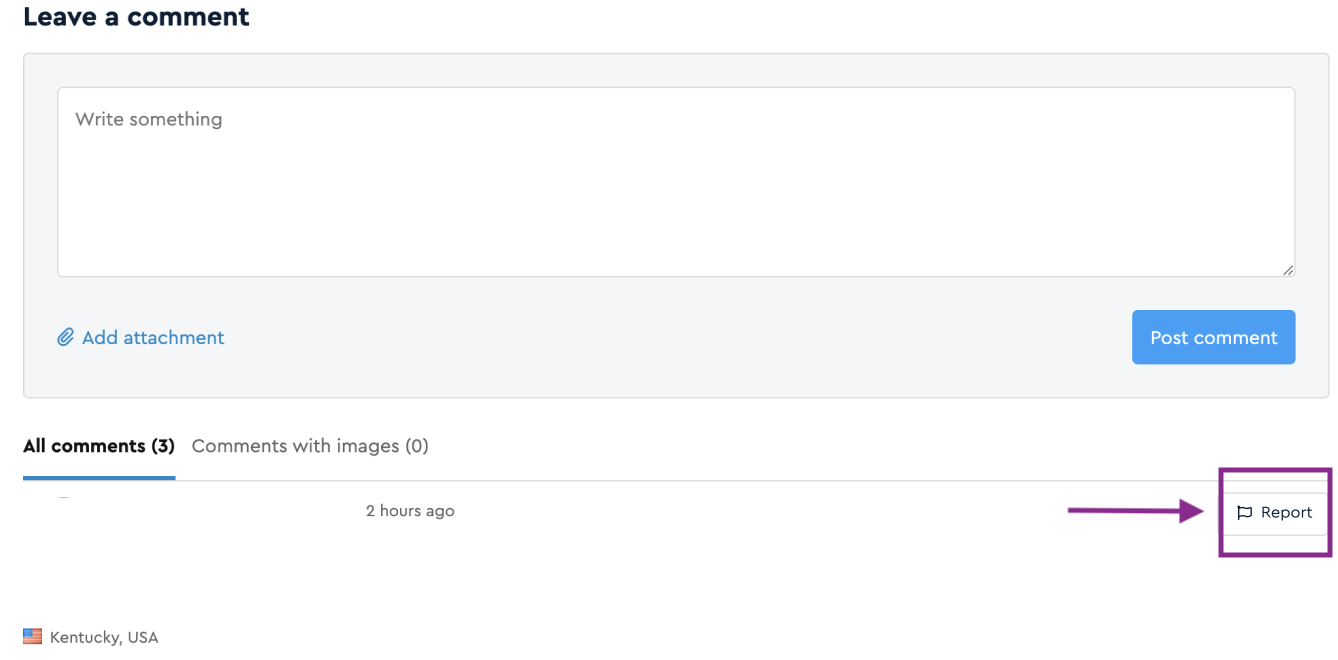
Below are screenshots of where reporting links are located for the following types of comments: Main forum
Studio forum
Studio Gallery comments
| |||||||||
| Store Reports | |||||||||
|
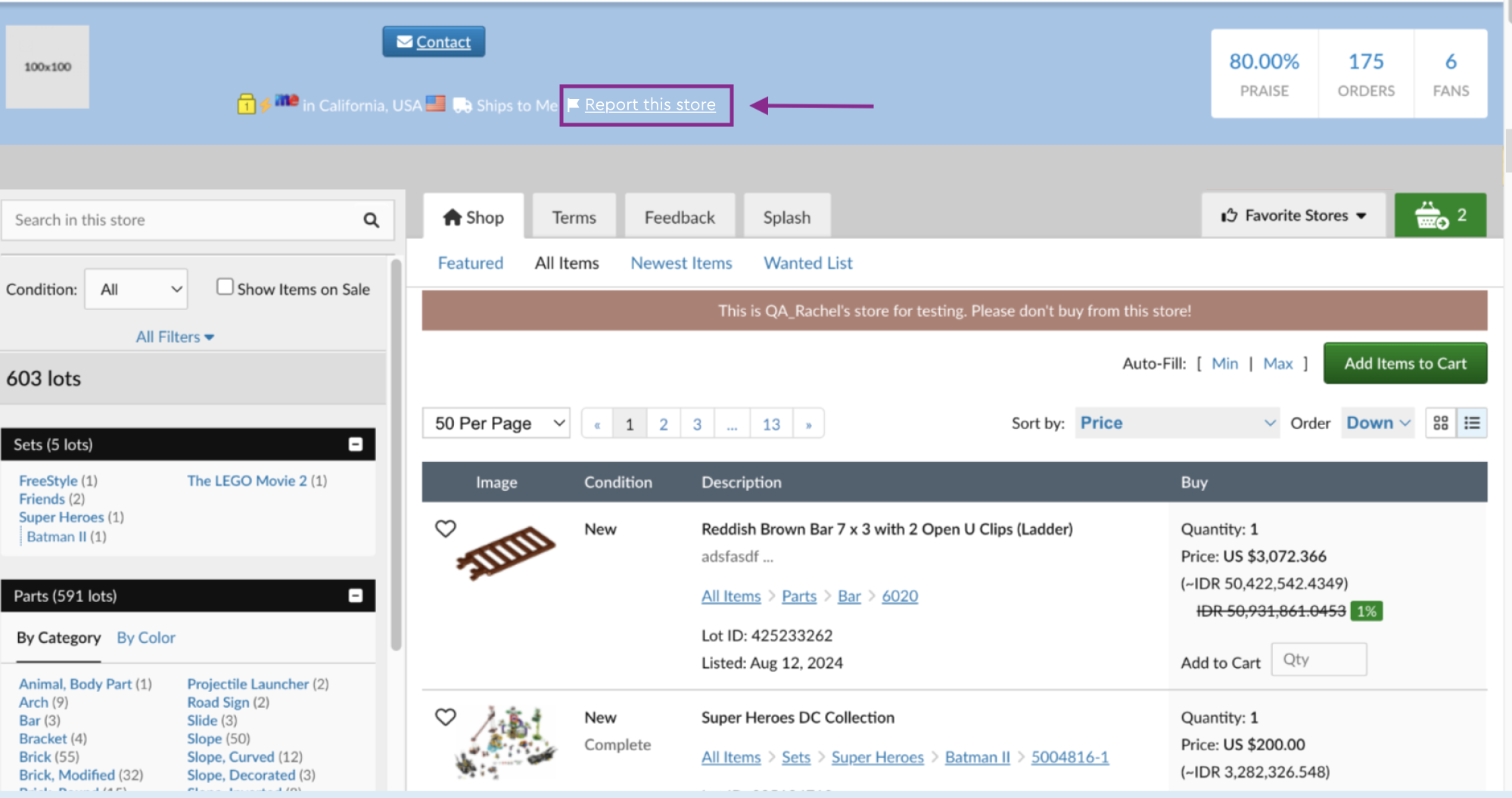
To report a general store violation,
| |||||||||
| Appeals | |||||||||
|
If the administration approves a filed report, a member whose actions, items, or content have been reported will receive a confirmation email that will provide violation details and a link to the appeals page. To file an appeal, use the link in the confirmation email. All appeals will be reviewed in the order they are received, and a final statement will be issued regardless of whether an appeal is approved or declined. In cases where multiple reports are filed against the same member, BrickLink will conduct an additional investigation and take appropriate action.
|